What playing Counter-Strike 1.6 online still requires
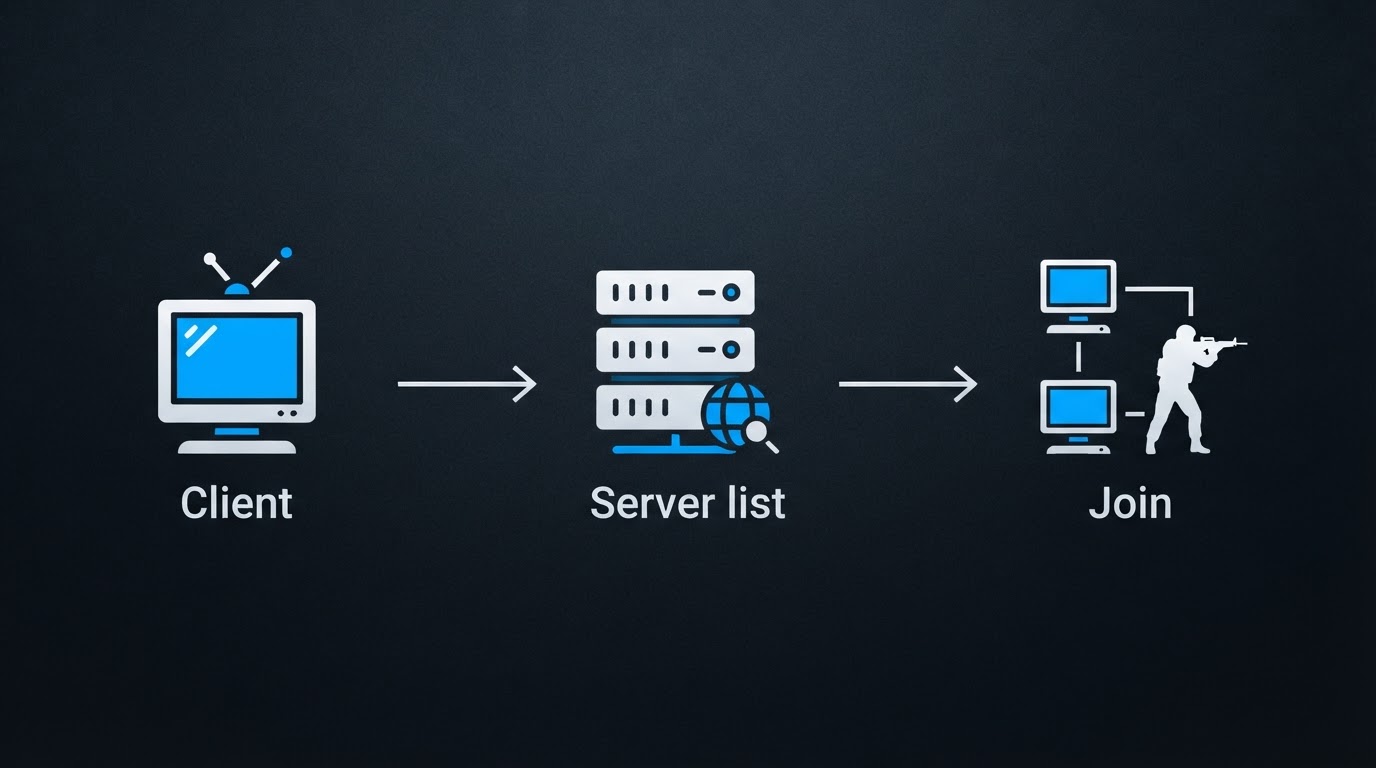
There is no single company-hosted service that lists every Counter-Strike 1.6 server anymore, so online play depends on the community that keeps clients, master servers and game servers alive. Three things have to line up before you join a match: a client that matches what the servers expect, a way to find those servers, and a connection stable enough to keep your ping low.
The client is usually where people get stuck. A build that no longer matches the servers you want will still open and load a map, then show an empty internet list or fail on connect. If that happens, treat it as a compatibility problem first, not as a server outage.
There is also a zero-install route: browser versions that run a CS 1.6-like client inside a web page. They are fine for a quick nostalgic round with friends, but they typically keep you inside their own sandbox, with fewer community servers, fewer custom configs, and a looser feel than the desktop build. If you want a specific server — a respawn server, a zombie server, a gungame server, a Romanian community you played on years ago — you need the desktop client.
Before your first match: what to prepare
A short checklist saves most of the wasted evenings:
- A Windows PC, or a machine that can run the Windows build cleanly. Most CS 1.6 clients are Windows-first.
- One client kit from a source you trust, unpacked or installed in a folder where you have permission to write files.
- A wired connection if you have the option; Wi-Fi adds jitter that shows up as rubber-banding in a shooter.
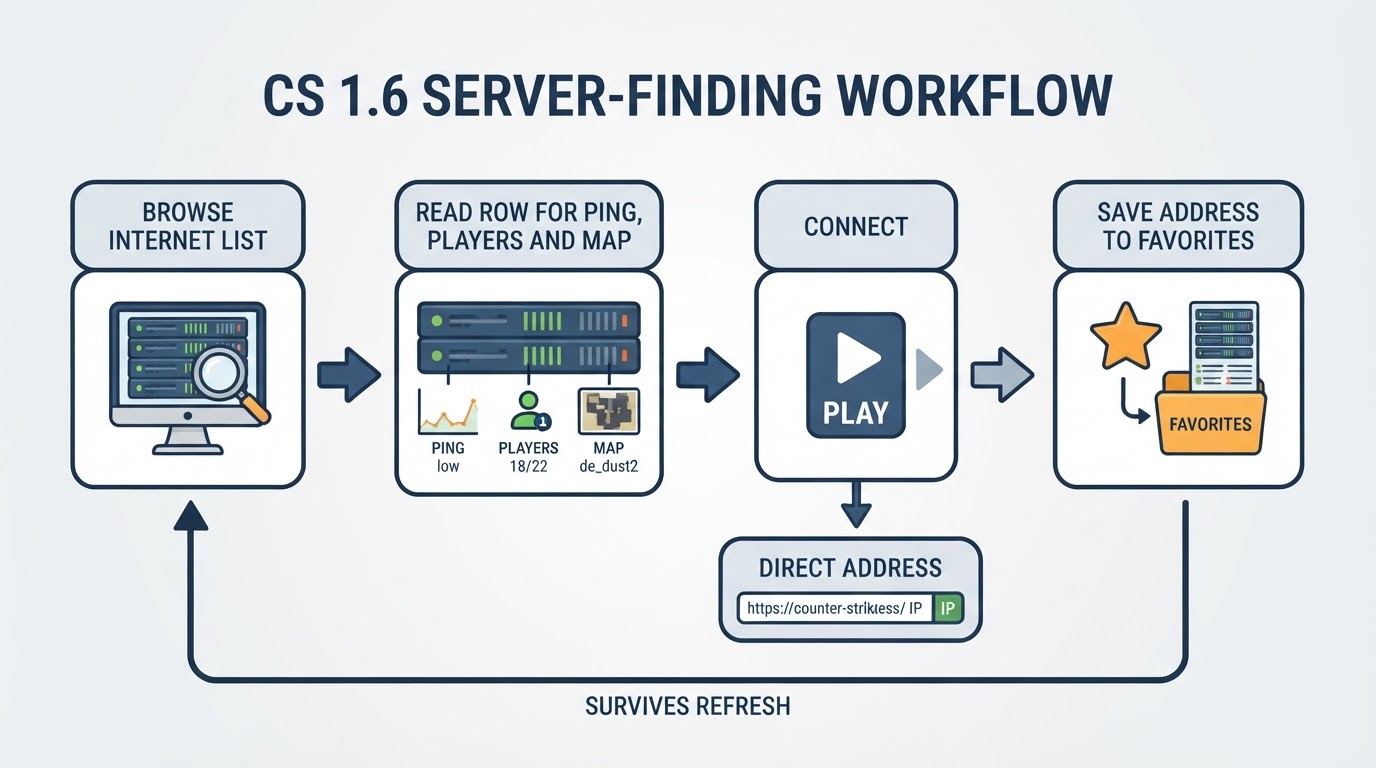
- A place to note the server addresses you like, so you can add them to favourites instead of hunting for them again.
The completion standard is simple: the client loads, the server list populates, and you can join a server, play a full map, and leave without a disconnect. If the list stays empty but the client itself works, the problem is almost always the build, the server query, or your firewall — not the servers.
How to find a CS 1.6 server that is actually alive
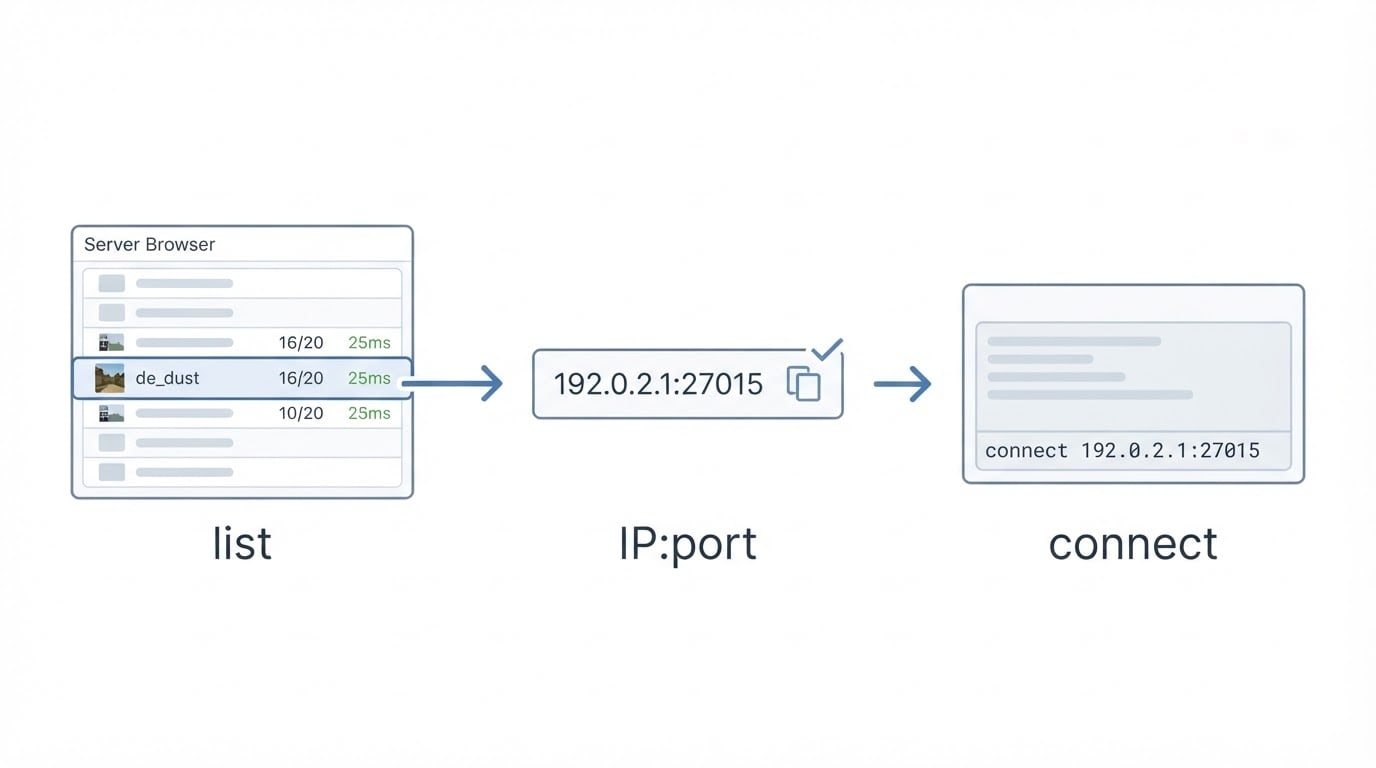
Most players start with the in-game internet list, which asks master servers for a list of running game servers. From there you can sort by ping, filter by map or mod, and add anything good to your favourites so it is one click away next time.
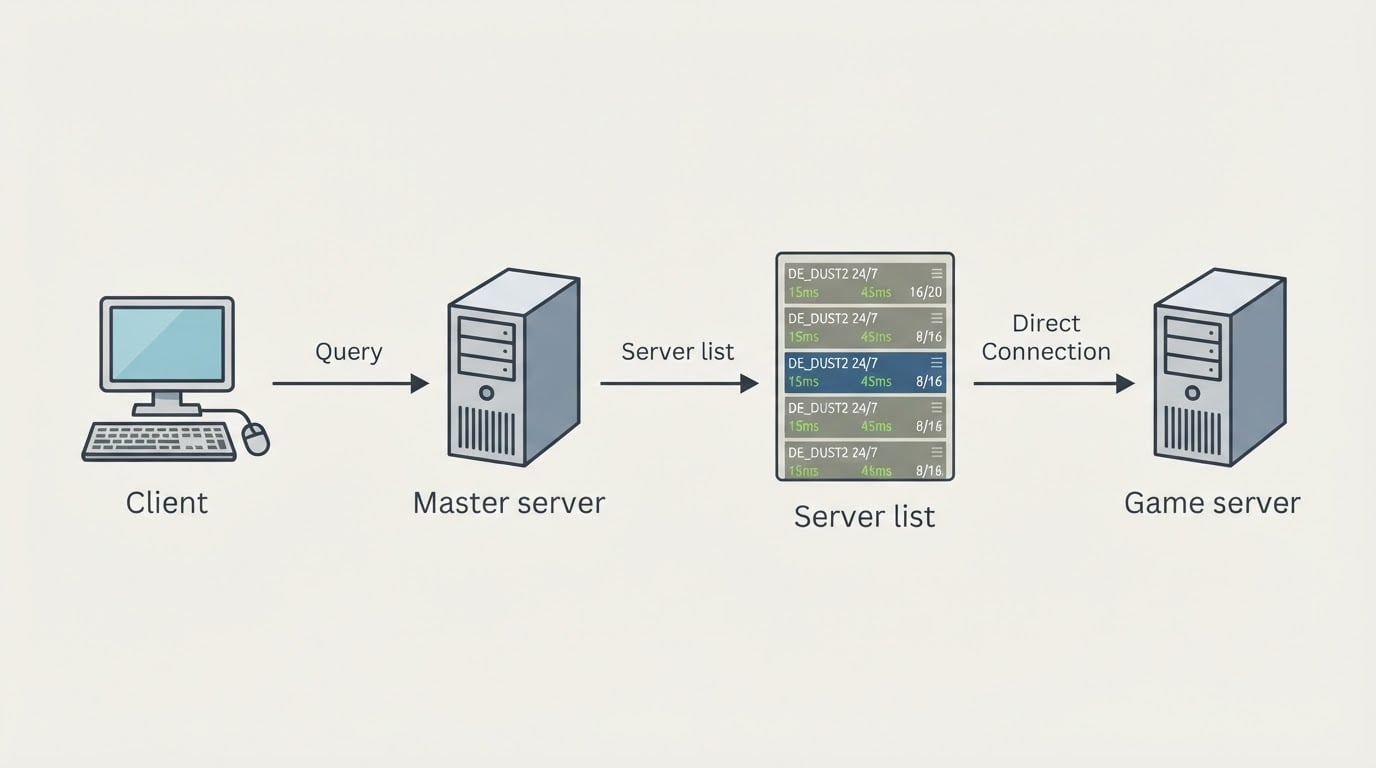
The list only tells you so much. A useful way to read one row:
- Players shows how full the server is right now. A number well below capacity usually means the server will empty out again within minutes.
- Ping is your distance to the server, and it matters more than almost anything else. Higher ping means every shot and every movement arrives later than it should.
- Map and mod decide whether the server is worth your time. Classic, deathmatch, zombie, gungame and hns communities all play differently, and a great server in the wrong mode is still the wrong server.
- Country or region tells you where the regulars are. Late-evening play on a server in your own time zone is a different experience from joining one at its 4 a.m.
Community server lists and tracking sites fill in what the in-game browser does not: historical player counts, country filters, and server pages you can bookmark. When a server has been online for years with a stable community, that history is a better signal than the ping number alone.
Why the same servers always show up: how boost works
Server lists are ranked, and rank is a scarce resource. A new server with zero players sits far down the list, stays empty, and stays invisible — the classic empty-server loop. Owners break that loop by buying visibility, usually called a boost or a promotion.

Depending on the service, a boost can raise a server's position in the master server or the in-game internet list, place it in featured slots on tracking sites, add it to promoted rotations, or push it into client-side server menus and favourites. Most offers are sold for a fixed term, often around a month, with an advertised number of slots per tier and a renewal action when the term runs out.
One example of the model: the same operator behind DownloadCS16.RO also runs top-boost.ro, a CS 1.6 server promotion service for owners who want their server in front of players without waiting years for an organic ranking.
That is why some servers seem permanent. They are not necessarily the best; their owners simply keep paying, or they combine promotion with a community that fills the server on its own. Treat the top of a server list as paid placement mixed with genuinely popular servers, and read the details before you commit a whole evening to a random row.
How to judge a promotion offer before you pay
If you run a server, the difference between a good and a wasted boost is usually in the fine print. Four criteria matter:
- What is actually promised. "Get listed" can mean the master server, the in-game internet list, a tracking site, featured slots in client menus, or all four. Ask which list, in which region, and for how long.
- Whether you can verify it. If a service promises visibility, you should be able to see your own server in the promised list while the boost runs. A screenshot from the seller is not the same as your own check.
- What happens after expiry. Promotion brings a wave of players; whether they stay depends on the server itself — map rotation, admin presence, rules, and whether the connection holds up at peak hours.
- Whether it reaches your audience. A boost aimed at the wrong country or the wrong mod fills the server with players who leave after one map.
A practical approach is to run one term, note the highest concurrent player count during it and the count a week after it ends, and use those two numbers to decide whether a second term is worth the money. That is the trade-off most server owners skip.
Where to get a clean CS 1.6 client
Most malware stories around Counter-Strike 1.6 start with a download, not with the game. A few habits make the difference: read what the file actually is, prefer a source that gives you more than one way to download the same build, avoid anything that asks for an account, a CD-key or a payment, and scan anything that did not come from a source you already trust.
DownloadCS16.RO, a Romanian-language client portal, is one example of how a client library can be organised. The site presents twelve CS 1.6 kits and lists two download options for each of them: a Windows .exe installer served directly and a .rar archive mirrored on MEGA. It states that no registration, account or CD-key is required to install the kits, which makes the download path short for someone who just wants to play. The archive is also the practical fallback when antivirus software blocks an installer, or when you want to install the same build on several machines later.
The dual-format approach is worth copying even if you get your client elsewhere. An installer is faster to run; an archive survives antivirus false positives, resumes better on a slow connection, and leaves you with an offline copy of the build. Between the two, you rarely lose a download to a blocked file or a broken connection.
Common problems, and what usually fixes them
An empty internet list. Check the client build first, then your filters, then the firewall. Adding a server by address under favourites proves whether the problem is the list or the connection.
"Server is full" or instant disconnects. The server may simply be at capacity, or you may be running a build the server rejects. Try a second server from the same list before you reinstall anything.
Antivirus deletes the installer. Prefer the archive version of the same build, scan it manually, and add the install folder to the exception list only if you trust the source. Do not disable protection system-wide for a game.
High ping and rubber-banding. Move to a server closer to you, close background downloads, and prefer wired over wireless. A promotion can put a distant server at the top of your list; that does not make it playable.
The game feels wrong even on a good server. This is usually configuration rather than connection. Community kits often ship with tuned settings, so compare against a second build before you rebuild your config from scratch.
FAQ
Can you play Counter-Strike 1.6 online for free? On community servers, yes: standalone clients and most servers cost nothing. The Steam release is a paid product, while community builds remain the free route.
Do you need Steam to play CS 1.6 online? No. Steam is one route to the game; standalone community kits are another, and they are common on Romanian and Eastern European servers.
How do you find Romanian CS 1.6 servers? Use server lists that filter by country, or the community pages where local owners promote their servers. Judge the ping from your own connection, not from a friend's.
Why does the server list look different from a tracker site? The in-game browser shows what the master server answered at that moment; trackers keep history. A server can appear in one and be missing from the other during a query hiccup.
How long does a server boost last? Most services sell fixed terms and let you renew, often in 30-day periods. Check what happens at expiry before you pay for the largest package.
The short version
Counter strike 1.6 online is still a solved problem: get a client that matches the servers, use the in-game list and tracker sites to find a populated server in your region, and add the good ones to favourites. If you are the one paying for visibility, treat promotion as an experiment with a measurable outcome — verify the placement, watch what happens after it ends, and let the numbers decide whether it deserves a second month.