The short answer
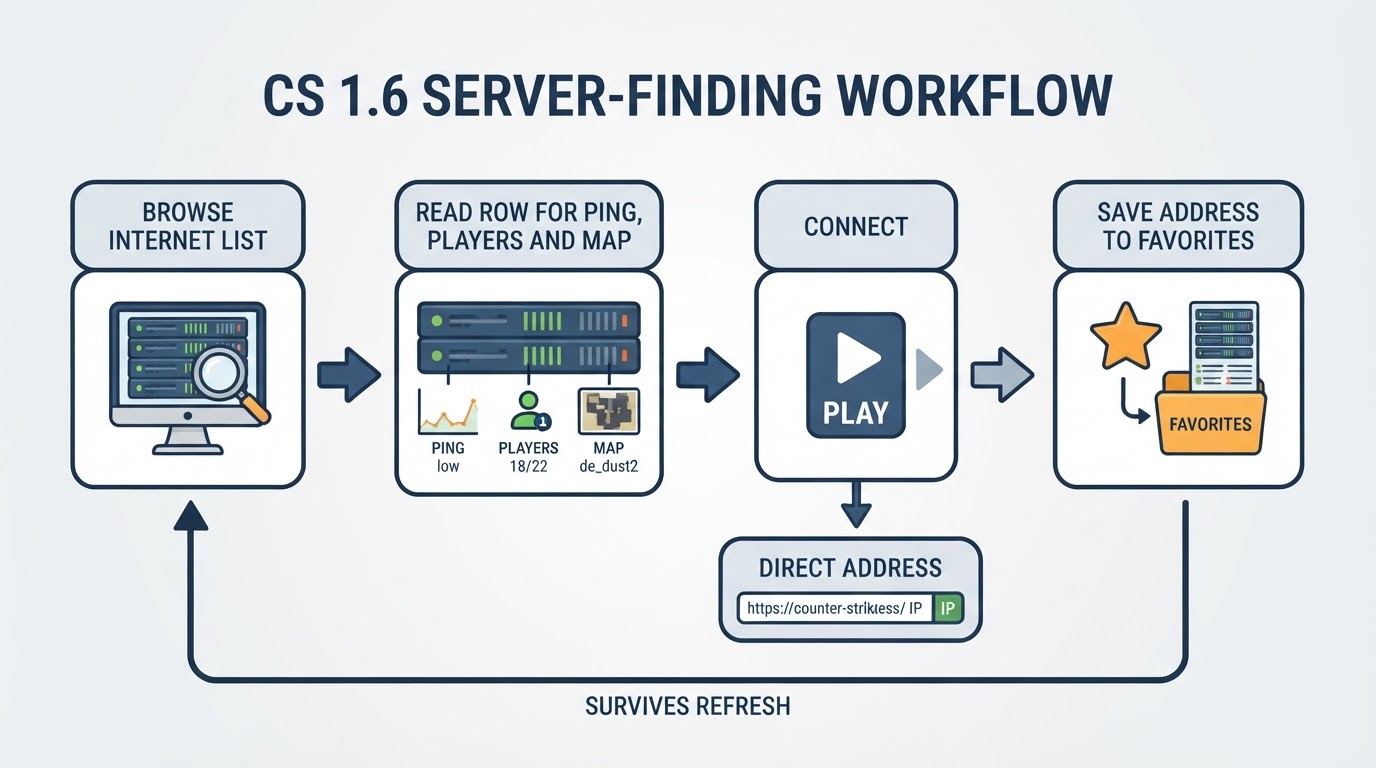
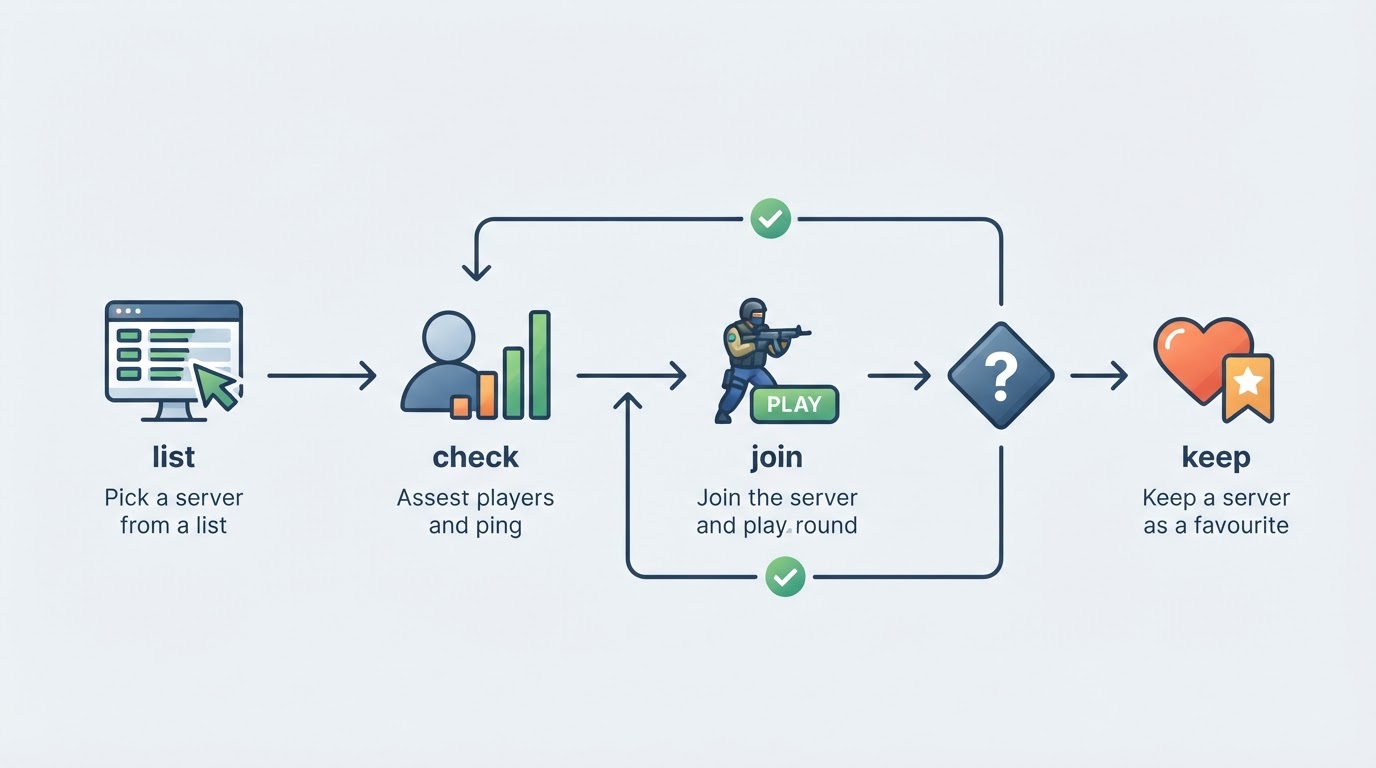
You find live CS 1.6 online servers by opening the server browser, filtering for your region and a non-zero player count, refreshing the list, and joining the most promising address instead of the first one on screen. If the browser looks empty, shortlist two or three addresses from a community list or a monitoring page and connect to those directly. Then play one round before deciding whether the server belongs in your favourites — that single round tells you more than any ranking badge.
"Live" is a moment-to-moment state, not a permanent label. A server can be busy in the evening and empty the next morning, move to a new address, change its map rotation, or simply stop answering queries. Treat every list as a snapshot and verify before you commit an evening to it.
Where CS 1.6 server lists come from
Most players start inside the game. The browser's internet tab asks the master server infrastructure for the addresses that are currently registered and responding, then renders whatever comes back. That is why the same session can show hundreds of servers one minute and a handful the next: the results depend on which servers answered, how healthy the master list is, and which filters you have applied.
Outside the game, community directories, monitoring pages, and Discord or forum threads collect the same data and publish it in friendlier form. These sources are useful because they can list a server even when the in-game query is slow or incomplete, and because many of them keep a cached player count and a last-seen timestamp you can compare across entries.
Two practical notes before you start clicking:
- Filters matter more than the list. If "not empty" is switched off or the map filter is pinned to a single map, a healthy browser can look dead.
- A listing is a claim, not a guarantee. Directories and promotion pages include servers that pay for placement, so check the server itself before you invest time in it.
How to tell a live server from a dead listing
The fastest check is the scoreboard, not the browser. Join, look at the names, and see whether the round is actually moving. The table below covers the signals that matter and what each one usually means.
Signal | What it usually means | What to do |
|---|---|---|
Player count above zero and changing | Real players, with or without bots | Join and confirm on the scoreboard |
Ping under your comfort threshold | Playable response time | Prefer it over a fuller but laggy server |
Round in progress, not stuck on warm-up | The server is not hanging or restarting | Join mid-round and test movement and shooting |
Fresh last-seen stamp on a directory | The address answered recently | Keep it at the top of your shortlist |
The same server on several lists | An active community behind it | Cross-check the map rotation before joining |
A population that never changes | Often bots or a stale query | Play a few minutes before you judge it |
If two servers look equally alive, choose the closer one. Ping is the number that changes how the game feels, and a server on your side of the network will usually beat a busier one across an ocean. A map rotation you enjoy matters just as much: a shortlist of three or four regular servers, each strong at a different time of day, is more useful than one address that only works on weekends.
How to join a server: browser, favourites, console
Joining is a short routine once you have the address.
- Open the server browser and refresh it. Use the filters to hide empty servers and to keep results inside your region.
- Add the server to your favourites list, or add it by address when the browser does not list it. Favourites survive a broken master list and let you reconnect with one click.
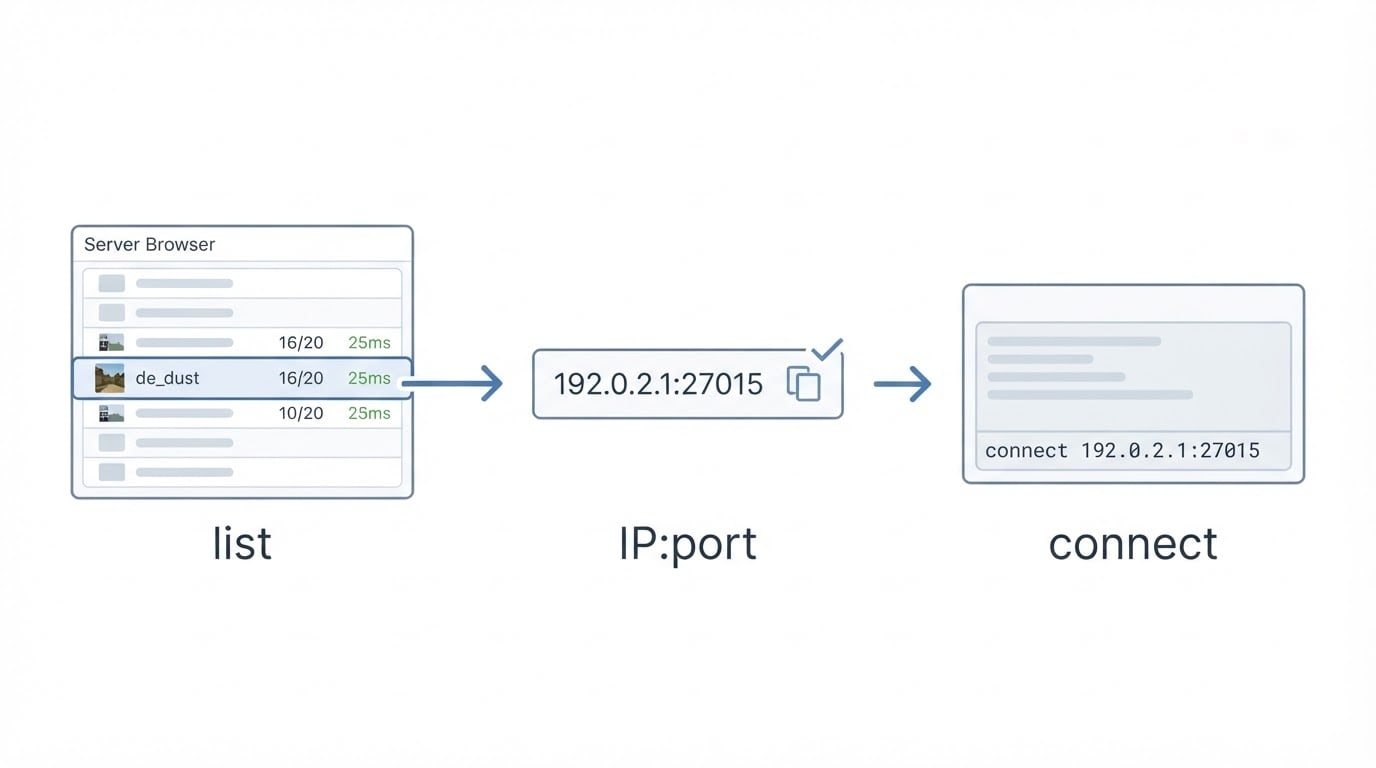
- If the list will not cooperate, open the console and type
connectfollowed by the server address inip:portform. This bypasses the browser entirely and works as long as the server is reachable and you have the map.
Custom builds and older clients can place these controls in slightly different menus, but the underlying steps stay the same: query, shortlist, connect.
Once you are in, give the server a minute. Check the scoreboard for real names, watch the ping in the score display, and see whether the map is on a loop or about to change. That minute is also when you can spot the two things that should make you leave: a server that forces configuration changes on you, or one that behaves erratically as soon as you move.
Staying safe on public servers
Old multiplayer games attract two kinds of trouble: fake downloads and servers that try to change your configuration. Neither is a reason to avoid public servers, but both are worth a habit or two.
Use a client build from a source you trust, keep a backup copy of your configuration file, and leave any server that forces binds, scripts, or downloads without asking. If a server pushes files or commands through its menu system, that is a strong signal to disconnect and pick another address. The same caution applies to the client itself: free builds circulate widely, and the ones that arrive with an unexplained installer are not worth the risk.
Why some servers look busier than they are
Visibility and population are two different things, and mixing them up is the most common mistake players make. Promotion services can push an address into master lists, favourites, menu entries, and top lists, which makes a server easy to find. That does not automatically make it fun at the hour you happen to play.
A few ways to read the difference:

- Compare the same server across two or three refreshes. A real population drifts; a frozen one usually does not.
- Check the time of day in the server's country, not yours. A Romanian server fills up during Romanian evenings.
- Join anyway. A promoted server with a handful of real players can be a better game than a crowded one with a bad map rotation.
- Bookmark what works. The best servers in a small community are usually found once and revisited for years.
For server owners: how a server gets discovered
Visibility is a pipeline. A server first has to answer queries reliably, which means a stable host, correct ports, and a configuration that does not drop out of the master list. It then has to appear somewhere players already look: a community directory, a Discord server, a forum thread, or a promotion platform that places it directly into the lists players browse inside the game.
Paid promotion is the fastest route. Boost platforms sell visibility inside the places players already browse: master lists, favourites, menu entries, gamemenu, top lists, and tracker rankings. Most of them publish a live table of the servers they are currently pushing, with the address, a country flag, and an expiry date for each entry, often grouped by the tier the owner bought. That table is worth reading before you pay for anything, because it shows what a placement actually looks like in practice. For a player, the same view is a shortlist of servers that somebody is paying to keep in front of an audience, which usually means those servers will not stay quiet for long.
Free routes matter too, especially for small communities. Keep the server stable, publish the address where your players already talk, and ask regulars to add it to their favourites. Those steps do not produce instant visibility, but they build the population that survives after a paid listing expires.
Common follow-ups
The browser shows no servers at all. Refresh the master query, clear aggressive filters, and try a community list or a direct connect address. A healthy address still works even when the browser is having a bad day.
The server is full. Add it to favourites and retry at a quieter hour, or look for a sibling server from the same community. Many groups run more than one address.
Connection failed. The address may have changed, the server may be offline, or something on your network may be blocking the connection. Verify the address, then test a second server to see whether the problem is the server or your side.
The map will not load. The server is running a custom map you do not have. Let the download finish if the server offers one, or look for the map pack in the community that runs it.
Ping is fine, then spikes. Check whether another download or stream is using your connection, then compare a second server in the same region. If only one server spikes, the problem is on its side.
The two-minute checklist
Before you invest a session in a server:
- Player count above zero, and real names on the scoreboard rather than bots.
- Ping low enough that movement and shooting feel immediate.
- The round is in progress and the map is one you actually want to play.
- The address is saved in favourites so you can return without searching again.
- The server did not push configuration changes or files on you.